The best Business Suite software in India, built to help your business grow. Contact us at +91-8882435276.
[ Contact ]
Phone number
Email address
Head office
Noida office
[ Get in touch ]
Share a few details and the right team at TriostackOne will get back to you.
27
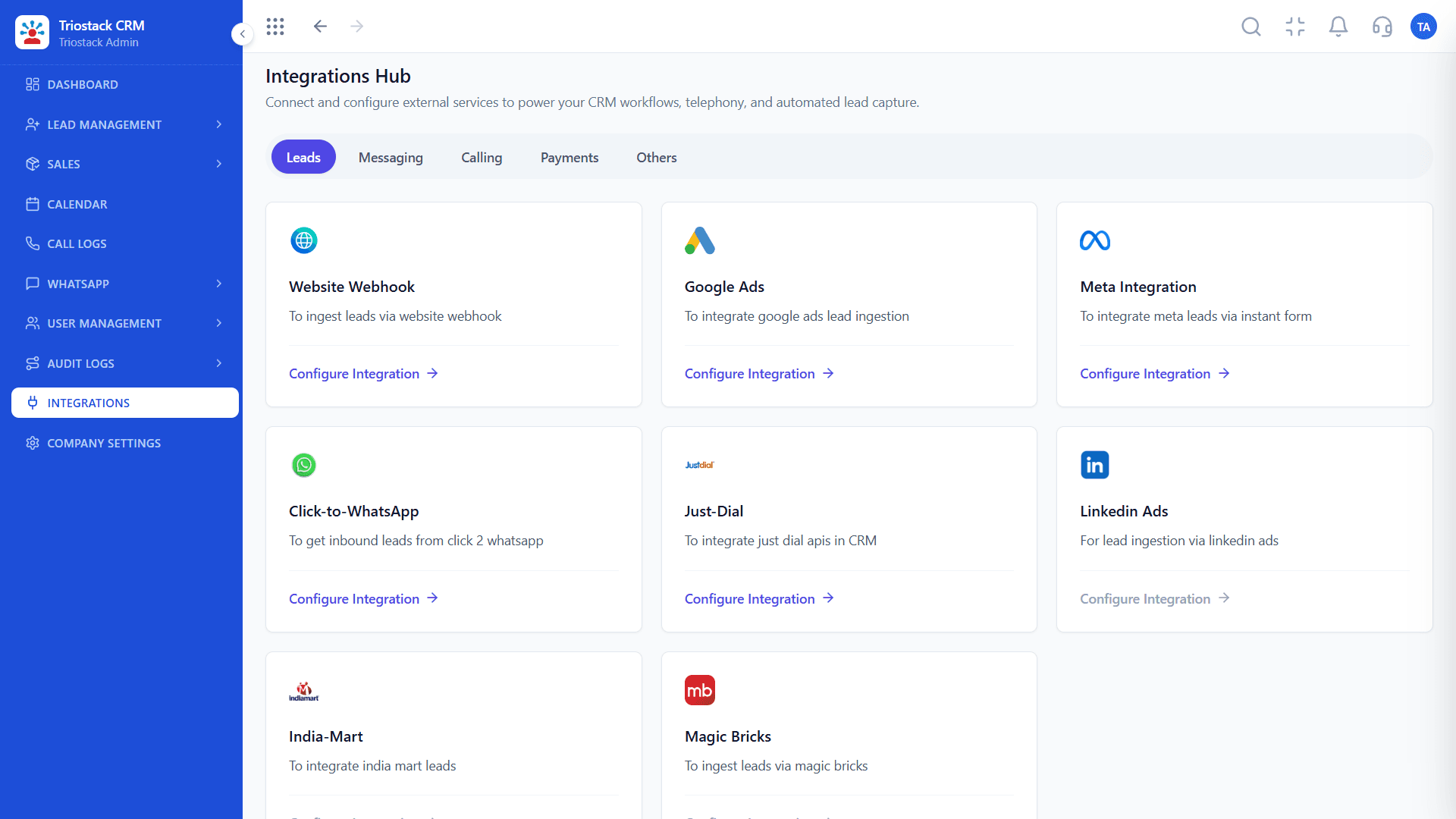
Hub integrations
Across 5 tabs in Triostack CRM
21
Built-in app flows
Between Business Suite apps
6
APIs & webhooks
For your own systems
₹0
Extra cost
Included on every CRM plan
Every Business Suite app shares one identity and one data model, so deals become invoices, attendance feeds payroll and emails become tickets without setting anything up. Pick an app to see where its data goes.
Connected out of the box · 8 flows
Turn closed deals into invoices without re-entering data.
Hand off closed-won deals into delivery projects instantly.
New WhatsApp conversations create CRM leads automatically.
See the customer's deals and account history on every ticket.
Convert closed-won deals directly into delivery projects.
Turn closed deals into invoices automatically.
Link emails with leads, contacts, and opportunities.
Form submissions become leads instantly.
Outside services connect through the Integrations Hub in Triostack CRM. Every one is included on every CRM plan, including the free trial.
Also in Triostack Mail
Work alongside the tools your team already uses
Google Workspace
Sync emails, contacts and calendar.
Microsoft 365
Sync with Outlook, Calendar and Contacts.
Slack
Get email notifications directly in Slack.
Here's how one customer can move through several integrations and apps, each step picking up where the last one left off.
A Google Ads lead form is submitted
An approved WhatsApp template goes out
The call is logged and recorded on the lead
Paid by UPI, recorded under Payments Received
The won deal becomes a delivery project
Beyond the no-code hub, TriostackOne offers two webhooks and four APIs for connecting your own systems, all included on every CRM plan.
Enable it in the hub
An admin switches on the webhook or API from the Integrations Hub in Triostack CRM.
Request the spec
Endpoints, authentication and payloads aren't public. The team shares the technical specification for your workspace.
Build server-side
Keep credentials on your server, never in browser or mobile app code, and give the integration only the access it needs.
Test, then go live
Send a test lead or payment and confirm it lands in the right place before you rely on it.
Website Webhook
Form submissions from a site not built on Triostack Website arrive as leads in the same pipeline.
Appointment Webhook
Bookings from external scheduling tools land in the CRM calendar, next to the right lead.
Invoicing API
Invoices raised outside TriostackOne stay visible with the rest.
Tickets API
Support cases stay linked to their CRM record, so account teams see open issues.
Blogs API
Blog content published through Triostack BMS, managed from the CRM.
Expense API
Expense records created and tracked against your CRM workspace.
Connect each provider with a shared company account, not a personal one, so the connection survives staff changes.
Get WhatsApp templates approved by Meta before launching a campaign that depends on them.
Re-test lead sources whenever you change an ad form or website form. Field changes are the most common cause of missing leads.
After connecting a payment gateway, run a small test payment and check it appears under Payments Received.
No. Every integration in the hub is included on every CRM plan, including the free trial. Your provider, such as a payment gateway or telephony service, may charge its own fees.
From the Integrations Hub in Triostack CRM. It's organised into five tabs (Leads, Messaging, Calling, Payments and Others), and each integration is set up from its card without code.
No. Business Suite apps share one identity and data model, so flows like deal-to-invoice, HRMS-to-payroll and email-to-ticket work without any setup.
Calling: TeleCMI, Frejun and Tata Smart Flow, plus SIM-based calling through the Triostack CRM Android app. Payments: Razorpay, PhonePe, Paytm and UPI QR codes on invoices.
Possibly, through the Website Webhook, the Appointment Webhook or the APIs on the Others tab. Tell the team what you want to connect and they'll help you find the right approach.
Tell us what you're trying to connect and we'll help you find the best approach.
Grow your business by building, referring, or reselling with Triostack.