
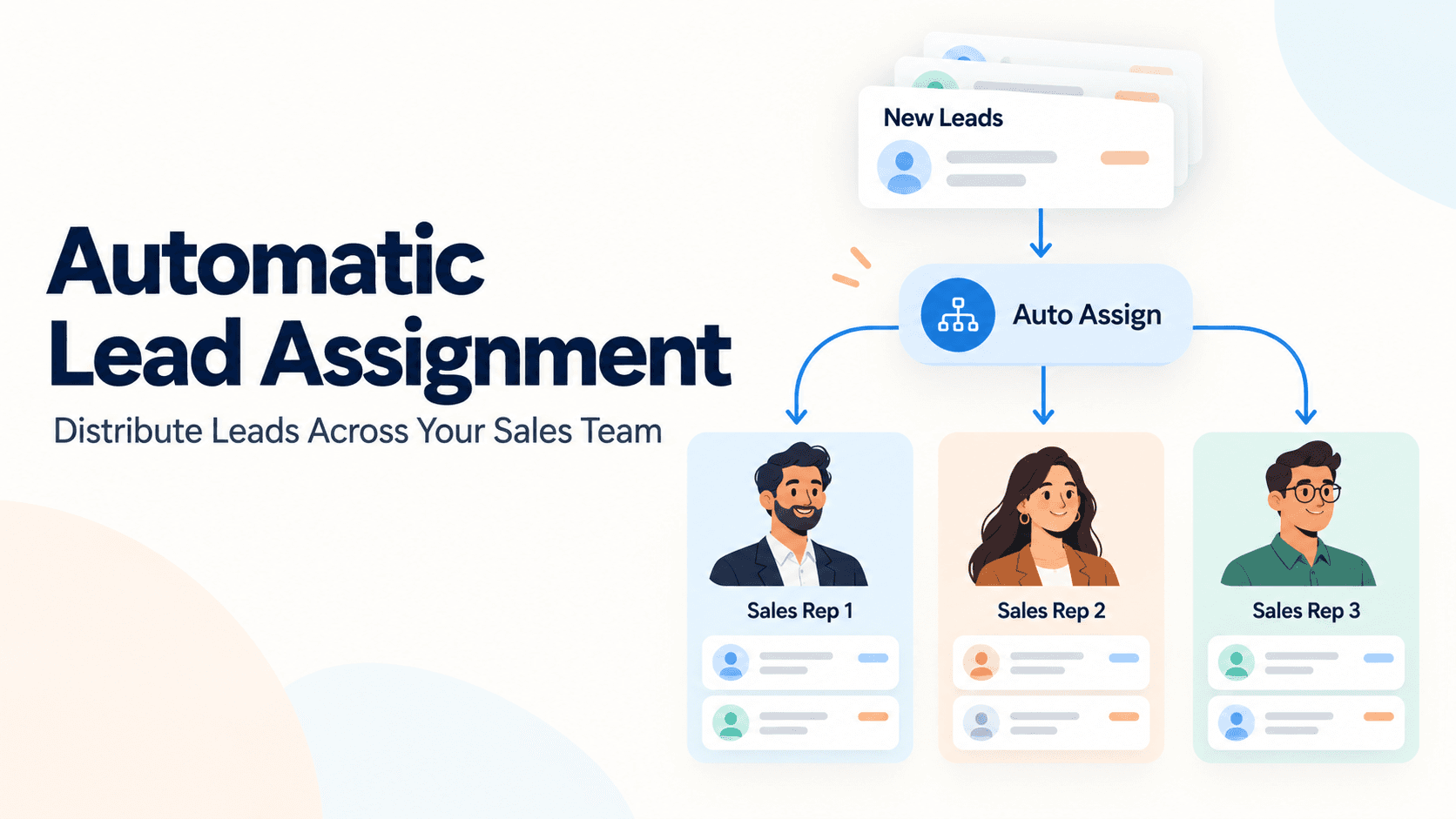
For small and mid-sized businesses in India, speed and accuracy in lead handling can make or break a deal. A well-architected automatic lead assignment system ensures that new inquiries – whether they arrive via WhatsApp, web forms, or calls – reach the right person at the right time. By distributing leads intelligently, teams reduce response times, improve follow-ups, and keep customers satisfied. This article walks through practical ways to set up automatic lead assignment using Triostack CRM, with real-world examples and steps you can adapt to your business.
How automatic lead assignment works
At its core, automatic lead assignment is about routing a newly captured lead to a team member based on predefined rules and data intelligence. Triostack CRM brings together shared WhatsApp inboxes, contacts, templates, flows and automation triggers to streamline this process. Lead intent analysis and lead scoring gauge how ready a lead is to buy, while follow-up suggestions help your team decide what to do next. If someone in your team uses the mobile app to log a call, you also get call logs and, on supported Android devices, call recordings. AI-powered transcription supports Hindi, Hinglish and English, so language won’t stand in the way of a quick reply.
Common routing data points include language preference, product interest, geographic territory, deal size, and current workload. You can blend these with dynamic signals—such as a spike in interest after a marketing campaign or a high-priority inquiry flagged by intent analysis—to decide who takes ownership of the lead.
What data fuels the routing
The routing engine in Triostack CRM can use multiple signals to assign ownership. Examples include:
- Language and intent detected from calls or messages (Hindi, Hinglish, English).
- Product interest or service line indicated in the inquiry.
- Geographic region or territory assignment.
- Lead score or threshold reached through AI-based analysis and historical behavior.
- Current workload or capacity of team members, ensuring no one is overloaded.
- Automation triggers from flows (for example, a new lead from WhatsApp triggers a routing rule).
Routing strategies you can implement
Not every lead needs to be treated the same. Different teams and products require different routing logic. Here are practical strategies you can adopt:
Round-robin distribution
Leads are assigned one by one to the next available sales rep in a queue. This keeps ownership balanced and ensures nobody sits with a backlog. For example, when a Maharashtra-based distributor messages about a bulk purchase, the system checks who is next in line and assigns the lead accordingly.
Skill-based routing
Route leads to reps with the right expertise. If a lead expresses interest in a technical product area, it goes to a specialist with relevant product knowledge. If a Hindi-speaking client asks about after-sales support, the system prefers a rep comfortable with that language and domain.
Territory and product-line routing
Assign based on where the lead is located and what they are buying. A Pune-based retailer interested in consumer electronics might be routed to a regional team trained specifically for that product line, even if another rep is closer geographically in the same city.
Priority-based routing
High-priority inquiries—such as time-bound discounts or renewal opportunities—can automatically jump to senior reps or to the fastest responder on the team, ensuring critical leads get prompt attention.
Practical steps to set up automatic lead assignment
Below are actionable steps you can follow to configure automatic lead assignment in Triostack CRM. The emphasis is on practicality, using the tools you likely already have: a shared WhatsApp inbox, automation flows, and AI-driven insights.
1) Map your team and skills
Start by listing your sales reps, their language strengths, product focus, and territory. In Triostack CRM, tag each contact with fields like language, product line, and territory. This makes it easier for the routing engine to pick the best match. For example, a rep who handles lighting products and speaks Hinglish can be marked as “Lighting – Hinglish.”
2) Define scoring and intent criteria
Set up lead scoring rules that reflect your sales process. A lead may score higher if:
- They express clear buying intent via keywords in their message or call transcription.
- They belong to a high-potential industry or product line.
- Demographic or firmographic data align with your ideal customer profile.
Triostack AI can perform transcription in Hindi, Hinglish and English, and convert conversations into a score and actionable follow-up suggestions. This helps the system route leads not merely by contact details, but by how likely they are to convert.
3) Create automation flows and triggers
Automation flows define what happens when a new lead enters the system. For automatic lead assignment, you typically configure triggers such as:
- New lead captured from WhatsApp inbox or web form
- New call log or call recording uploaded (on Android-compatible devices)
- Lead status change or updated scoring
Pair these triggers with routing rules so the lead is assigned immediately and the assignee is notified via their preferred channel (CRM inbox, WhatsApp, or mobile alert).
4) Balance speed with quality
Fast response matters. Route to the nearest available rep while ensuring they have the right skills. If no one in the right skill-set is available, you can create a temporary fallback rule to assign to the closest available rep and set an automatic escalation if the lead remains unacknowledged after a defined time.
5) Test with real but controlled data
Before going live, test with a handful of sample inquiries. Check how WhatsApp messages, call transcriptions, and AI-driven scores influence routing. Validate that language, product interest, and territory drive the correct assignments and that the notification path works as expected.
6) Monitor, learn, and optimize
Once live, monitor metrics such as response time by route, conversion rate per rep, and the distribution fairness across the team. Use feedback from your sales team to adjust scoring thresholds, routing rules, and escalation timers. The system’s ability to automatically assign leads helps you iterate quickly without manual reallocation.
Real-world example to illustrate the flow
Consider a mid-sized mechanical distributor in India that uses Triostack CRM. A lead arrives via WhatsApp from a retailer in Bengaluru seeking bulk valves. The lead’s language is Hinglish, their interest score is moderate, and their region is Karnataka. The routing logic checks: language, product interest, and territory, plus the rep’s current workload. A senior regional rep with Hinglish fluency and Karnataka coverage is assigned due to a higher intent score and lower workload. The automation flow includes a pre-crafted WhatsApp reply template to acknowledge the inquiry while the rep reviews the lead context. If the lead makes a follow-up call, the SIM-based calling feature in the mobile app logs the call, records it (where permitted), and adds a transcription in Hindi/Hinglish for quick reference, which can further adjust lead scoring or next-step recommendations.
This example shows how Triostack CRM combines data from shared inboxes, call logs, AI transcription, and automatic assignment to speed up a real-world interaction without manual hunting for the right rep.
Best practices for effective automatic lead distribution
To keep the system clean and effective, consider these practical tips:
- Keep lead routing rules transparent so reps understand why they’re assigned to a lead.
- Regularly review lead scores and adjust thresholds as your product lines evolve or seasonality changes demand patterns.
- Tag and segment contacts consistently so that automation can reuse data efficiently across campaigns and channels.
- Use language-aware routing to improve early engagement, especially when dealing with multilingual markets.
- Ensure that call logs and, where permitted, call recordings are accessible for quick context during a follow-up.
Frequently asked questions
How does automatic lead assignment decide who gets a lead?
Routing uses a combination of lead scoring, language and product interest, geography, and current workload. Automation triggers from flows help route new leads as soon as they enter the system, with notifications sent to the assigned representative.
Can I customize rules for different teams or products?
Yes. You can tailor routing rules by product line, territory, and language, so different teams handle leads that fit their strengths. This keeps specialized knowledge aligned with the right customers.
What if a lead requires immediate attention but the right rep isn’t available?
Configure escalation paths so the lead is reassigned to a suitable alternative or a supervisor if the initial response is delayed beyond a defined threshold. You can also set a round-robin fallback to keep leads moving.
How does AI transcription help in multilingual markets?
AI transcription converts calls and messages into text in Hindi, Hinglish or English, enabling faster understanding and more accurate scoring. This reduces language barriers and improves response relevance during initial outreach.
Automatic lead assignment is a powerful way to make your sales process more efficient without sacrificing personalization. By aligning routing rules with your team’s strengths and the customer’s context, you can improve response times and win rates across your SMB segment. If you’d like to explore how Triostack CRM can tailor automatic lead assignment to your business, reach out to us for a personalized walkthrough.
Ready to optimize your lead distribution? Contact Triostack CRM to discuss how you can implement smart routing, AI insights, and automated follow-ups for your team.